Seasonal Malware Wave: Why March Is a Hotspot for Cyber Threats
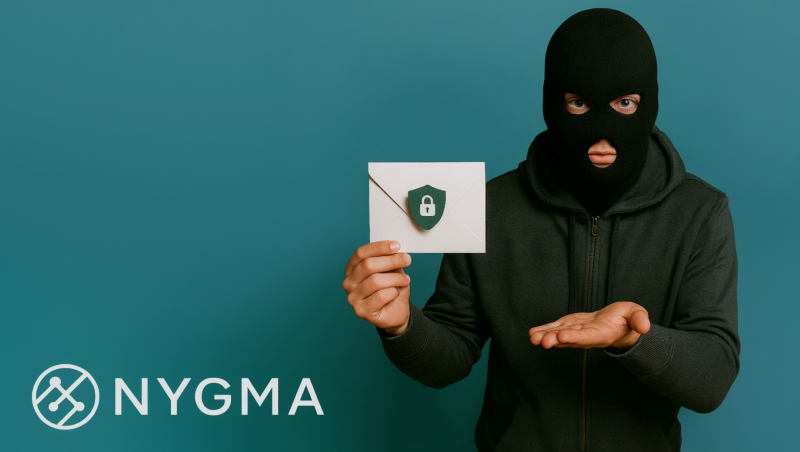
In early March, freelance photographer Emma opened an email that appeared to come from her tax software provider. The message warned of an urgent update required before the filing deadline.
She downloaded the attachment.
Within minutes, every photo archive, client contract, and financial record on her computer was locked by ransomware.
“Your files are encrypted. Pay the ransom to recover them.”
Emma had antivirus software installed. She thought that was enough.
Unfortunately, modern cyber threats are far more sophisticated. Cybercriminals frequently launch seasonal malware campaigns, especially during tax season, when millions of people download financial documents and open accounting-related emails.
According to the Verizon Data Breach Investigations Report, human interaction—such as clicking malicious links or opening attachments—is involved in over 70% of data breaches.
The lesson is clear: malware protection must extend beyond antivirus software.
Today, effective cyber defense includes secure encrypted cloud storage, allowing users to protect sensitive files even if their devices become compromised.
Solutions like Nygma Cloud, developed by Genie9, use zero-knowledge encryption to create a private vault where files remain inaccessible to attackers—even if malware infects your device.
In this guide, we’ll explore:
- Why cyber threats surge during March
- How malware attacks compromise personal files
- Why encrypted cloud storage is becoming essential for cybersecurity
- How Nygma protects data against modern cyber threats
Why Malware Activity Surges in March
Cybercrime is rarely random. Attackers carefully choose moments when users are more likely to click links, download files, or open attachments.
March consistently appears in cybersecurity research as a high-risk period for malware campaigns. Several factors explain this pattern.
1️⃣ Tax Season Phishing Campaigns
Tax season is one of the largest phishing opportunities of the year.
Attackers impersonate:
- tax authorities
- accounting software providers
- financial institutions
- payroll departments
These emails often contain malicious attachments disguised as tax forms, refund confirmations, or compliance documents.
Victims who open them unknowingly install malware.
2️⃣ Financial Fraud Malware
During tax season, users frequently log into financial services.
Cybercriminals deploy banking trojans and credential-stealing malware to intercept login credentials.
These threats can capture online banking passwords, cryptocurrency wallets, and saved browser credentials.
3️⃣ Fake Software Update Scams
March is also a common time for software updates and patches.
Attackers distribute fake installers posing as:
- browser updates
- security patches
- system drivers
Once installed, the malware can provide attackers with full remote access.
4️⃣ Increased Digital Activity
Spring travel planning, financial preparation, and new business cycles all increase online activity.
More digital activity means more downloads, more email interactions, and more cloud access.
This dramatically increases the attack surface for malware campaigns.
Common Malware Threats During Seasonal Cyber Campaigns
Cybercriminals use multiple types of malware to compromise devices and steal data.
⚠️ Ransomware
Ransomware encrypts files and demands payment for decryption. It is one of the fastest-growing cybersecurity threats.
The IBM Cost of a Data Breach Report estimates the global average cost of a data breach at $4.45 million, highlighting the financial impact of cyber incidents.
Without reliable ransomware protection for personal files, victims may lose data permanently.
⚠️ Information-Stealing Malware
Info-stealers harvest sensitive information from infected devices. They target saved browser passwords, session cookies, credit card data, and cryptocurrency wallets.
Stolen data is typically sold on underground markets.
⚠️ Banking Trojans
Banking trojans monitor financial activity and redirect transactions. These threats often target users during tax season when financial activity is highest.
⚠️ Spyware
Spyware secretly records user activity. It can capture keystrokes, screenshots, and browsing activity.
This poses major risks for professionals handling sensitive data.
How Does Malware Infect Personal Files?
Malware reaches personal devices through several common methods. Understanding these infection vectors helps strengthen cyber threat prevention.
📋 Email Attachments
Phishing emails remain the most common attack method. Malicious attachments may appear as invoices, tax documents, shipping notices, etc.
📩 Malicious Downloads
Fake software updates or cracked software often contain malware payloads.
🌐 Compromised Websites
Attackers infect legitimate websites with malicious scripts that automatically download malware to visitors.
💿 USB Devices and External Media
In some cases, infected removable drives can spread malware between systems.
What Happens to Your Files During a Ransomware Attack?
Ransomware attacks typically follow a predictable sequence.
- Malware infiltrates the system.
- The attacker scans for valuable files.
- Files are encrypted using strong cryptographic algorithms.
- A ransom message appears demanding payment.
Commonly targeted files include:
- photos
- documents
- spreadsheets
- project files
- databases
Without proper malware attack protection, victims may lose access permanently.
Why Traditional Storage Fails During Malware Attacks
Many people believe their files are safe simply because they are backed up locally or stored in the cloud.
Unfortunately, traditional storage approaches often fail during cyber incidents.
Local Storage
If ransomware infects a system, local files are encrypted immediately.
External Backup Drives
Connected drives can also be encrypted by ransomware.
Standard Cloud Storage
Many traditional cloud providers rely on server-side encryption, meaning the provider controls encryption keys.
This creates potential risks:
- Provider access to data
- Metadata exposure
- Possible access during breaches
Can Malware Access Cloud Storage?
In some cases, yes.
If malware infects a device that synchronizes with cloud storage, attackers may:
- Upload encrypted versions of files
- Delete cloud backups
- Steal stored data
However, zero-knowledge encrypted cloud storage significantly reduces these risks.
When encryption occurs before files leave the device, attackers cannot read the stored data—even if they access the cloud account.
How Encryption Protects Your Files From Cybercriminals
Encryption transforms readable files into unreadable data. Only the correct cryptographic key can decrypt them.
With client-side encryption, the process works like this:
- File is encrypted on the device
- Encrypted file is uploaded to the cloud
- Only the user possesses the decryption key
This ensures that even if attackers access cloud storage systems, they cannot read the data.
The Rise of Encrypted Cloud Storage for Malware Protection
As cyber threats grow more advanced, encrypted cloud storage has become an essential cybersecurity tool.
Modern encrypted storage platforms provide:
- Ransomware protection
- Secure file backup
- Privacy-first architecture
- Data breach prevention
One of the most advanced approaches is zero-knowledge encryption. This model ensures that only the user can access stored data.
How Nygma Cloud Protects Your Files From Malware
Nygma Cloud, developed by Genie9, was designed to eliminate the security flaws of traditional cloud storage.
Its architecture uses true zero-knowledge encryption, meaning even the provider cannot access user data.
With Nygma:
- Encryption occurs on the user’s device
- Encryption keys never leave the device
- even file names and metadata are encrypted
✅ Zero-Knowledge Encryption
With zero-knowledge encryption, files are encrypted before upload. This ensures cloud providers cannot read files, attackers cannot access stored data, and privacy is mathematically enforced. (Learn more)
✅ Military-Grade Encryption Options
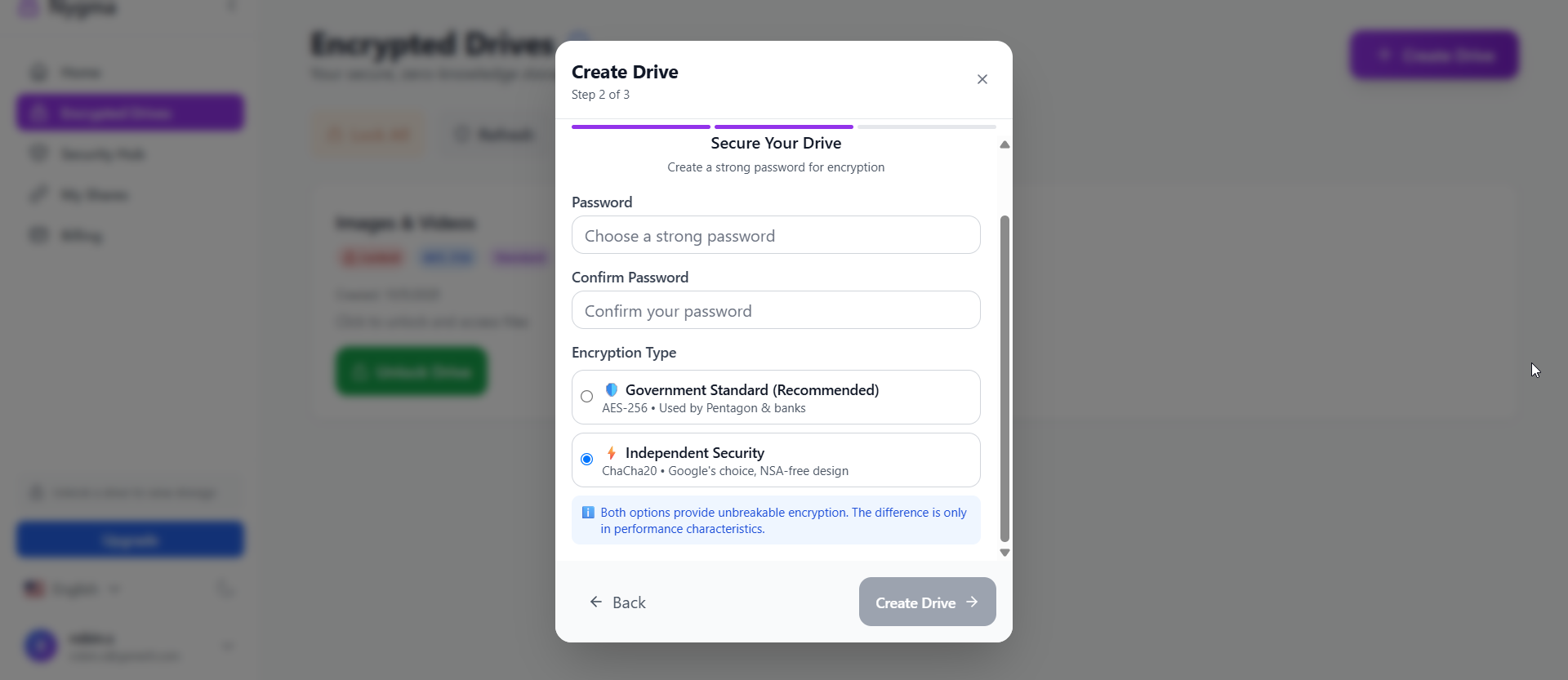
Nygma supports multiple encryption modes, including:
- AES-256-GCM
- ChaCha20-Poly1305
- Cascading Encryption
These cryptographic systems are widely used in enterprise cybersecurity environments. (Learn more)
✅ Encrypted Media Galleries
Nygma enables secure browsing of photos and videos while maintaining encryption. (Learn more)
✅ Advanced Secure Sharing
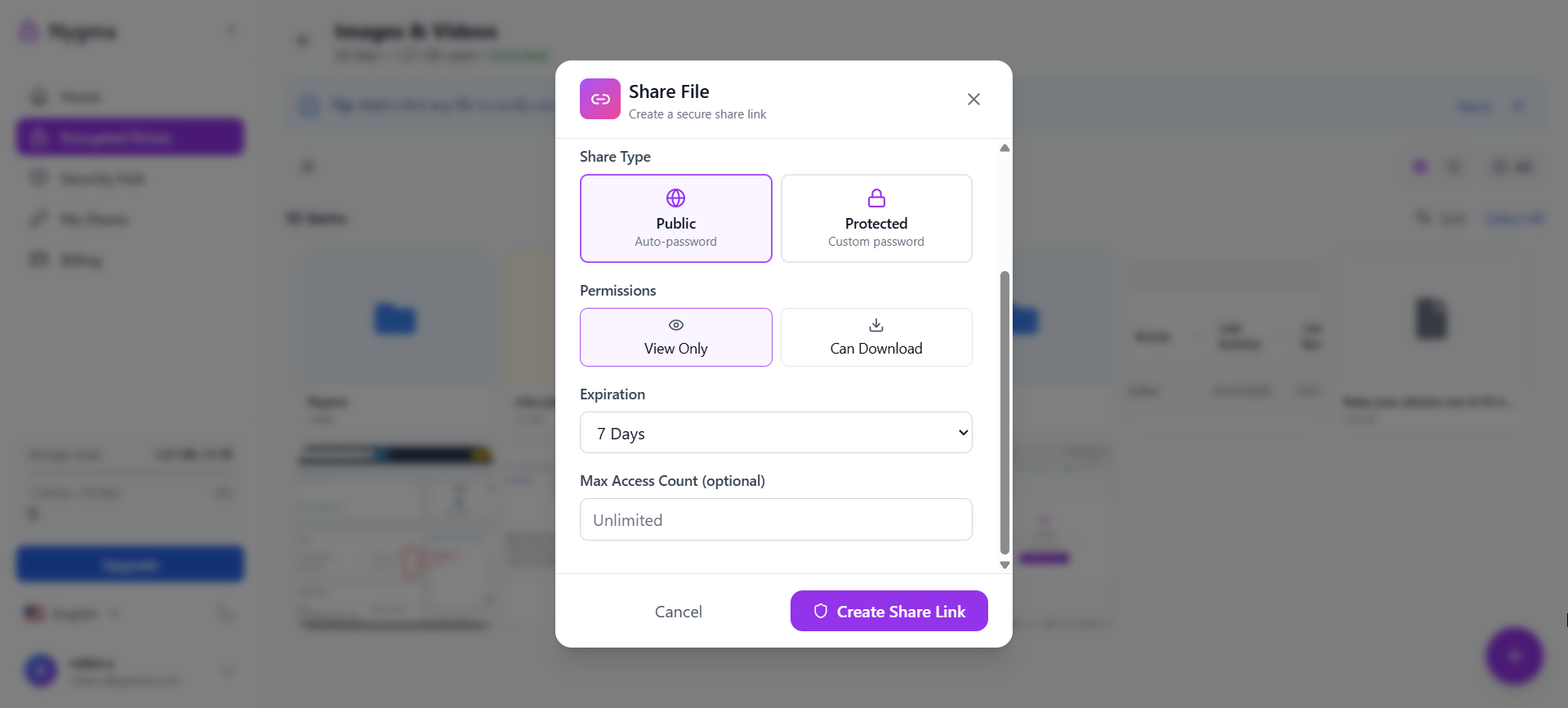
Users can share encrypted files while maintaining privacy controls. (Learn more)
✅ Multi-Device Access
Secure access across desktops, smartphones, and tablets. (Learn more)
✅ Duress Mode (Ghost Protocol)
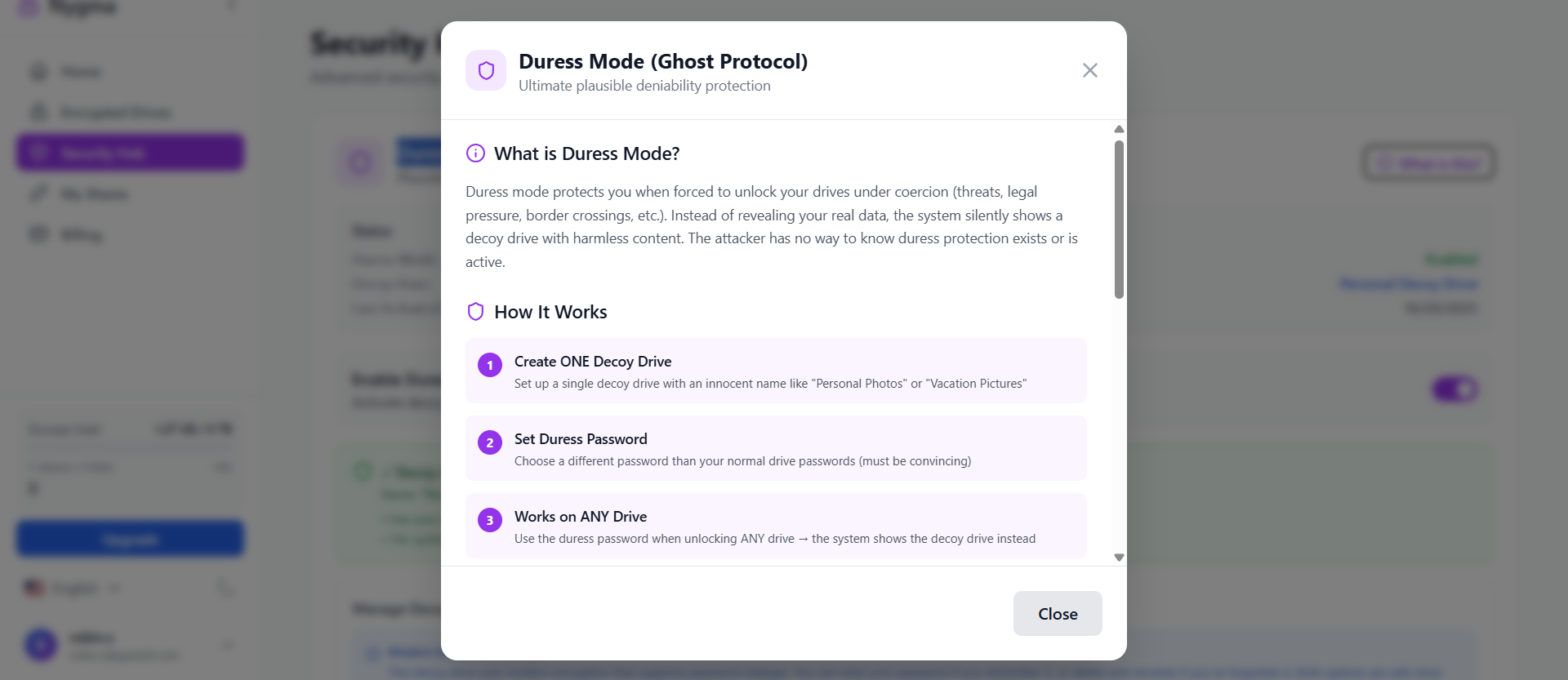
Nygma offers a duress password system that unlocks harmless decoy data. This protects users during coercion or device inspections. (Learn more)
✅ Time Bomb Auto-Wipe
The Time Bomb feature automatically deletes encrypted data after a period of inactivity. (Learn more)

✅ Two-Factor Authentication
Two-factor authentication protects accounts from unauthorized access. (Learn more)
Nygma vs Traditional Cloud Storage Security
| Security Feature | Traditional Cloud | Nygma Cloud |
|---|---|---|
| Provider access | Possible | Impossible |
| Encryption | Server-side | Client-side |
| Metadata visibility | Often visible | Fully encrypted |
| Malware resilience | Limited | Strong |
| Privacy guarantees | Policy-based | Cryptographic |
Best Practices for Malware Protection in 2026
Protecting against cyber threats requires both technology and awareness.
Recommended practices include:
- Avoid suspicious downloads
- Verify software updates
- Enable multi-factor authentication
- Maintain offline backups
- Use secure encrypted cloud storage
Combining these strategies significantly improves malware attack protection.
Why Privacy-First Cloud Storage Is Becoming Essential
The cybersecurity landscape is rapidly evolving.
Modern threats include:
- Ransomware gangs
- Data breaches
- Corporate surveillance
- Credential theft
Privacy-first technologies such as zero-knowledge encrypted storage are emerging as the new standard.
Platforms like Nygma Cloud provide security where even the provider cannot access your data, ensuring true digital privacy.
FAQ: Malware Protection and Encrypted Cloud Storage
What is the best protection against malware?
Effective malware protection includes antivirus software, strong cybersecurity practices, multi-factor authentication, and encrypted cloud storage that protects files even if devices become infected.
Can encrypted cloud storage prevent ransomware?
Encrypted cloud storage cannot stop ransomware from infecting a device, but it protects files by keeping secure backups that attackers cannot access or decrypt.
Why do cyberattacks increase during tax season?
Attackers exploit tax-related communications such as refund notices and financial documents to distribute phishing emails and malware attachments.
How does zero-knowledge encryption work?
Zero-knowledge encryption ensures files are encrypted before upload, and only the user holds the decryption keys.
Is cloud storage safe from malware?
Standard cloud storage may be vulnerable if attackers access accounts. However, zero-knowledge encrypted storage significantly improves security.
Conclusion: The Future of Malware Protection
Cyber threats continue to evolve, and seasonal malware campaigns—especially during March—demonstrate how quickly attackers adapt to user behavior.
Without strong malware protection, a single malicious email or download can compromise years of personal and professional data.
Encrypted cloud storage provides a powerful defense layer.
By encrypting files before they ever leave your device, zero-knowledge platforms like Nygma Cloud ensure that attackers—and even cloud providers—cannot access your data.
As cybersecurity threats grow, privacy-first cloud storage is becoming essential for protecting sensitive information in the digital age.
Start Protecting Your Files Today
Take control of your data security with Nygma Cloud.

Secure your files with malware-resistant encrypted cloud storage built for the modern threat landscape.
