G Cloud Backup Storage Cleanup Tips for a Faster Phone in 2026

After the holidays, many phones become overloaded with photos, videos, and chat media. This sudden spike in stored data often leads to slower performance and reduced available space by January. Recent statistics indicate that global photo-taking has reached well over one trillion images annually as smartphone camera quality continues to rise. A structured phone storage cleanup helps restore performance while keeping valuable memories safe, especially when paired with secure cloud solutions like G Cloud Backup.
Post-Holiday Storage Cleanup: An Efficient Start to 2026
Holiday seasons typically generate a spike in photos, videos, and chat media. This increase often leads to overloaded devices, reduced performance, and slower app behavior as the new year begins.
A structured phone storage cleanup not only boosts performance but also keeps important memories safe. With G Cloud Backup, users can securely store full-quality media in the cloud, free up local storage, and enjoy a smoother mobile experience without risking data loss.
Why Phones Slow Down After the Holidays
Storage fills fastest through:
📌High-resolution camera media (4K and 48MP content can use hundreds of MB per file).
📌Apple notes that 4K 60fps video can reach up to 600MB per minute.
📌Messaging app media caching (WhatsApp, Telegram, Messenger).
📌WhatsApp confirms auto-downloaded media unless disabled.
Limited storage means less virtual memory for system processes, contributing to lag.
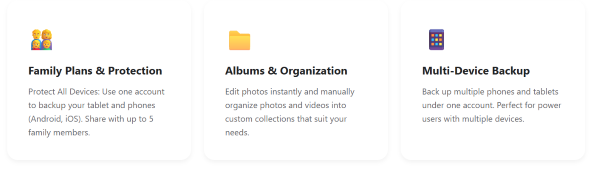
Advanced Management & Access with G Cloud Backup
✔️ Family Plans & Protection. (Learn more)
✔️ Albums & Organization. (Learn more)
✔️ Multi-Device Backup. (Learn more)
Secure Cleanup With G Cloud Backup
Before removing any content, a verified backup avoids mistakes. G Cloud Backup provides:
✅ Full-quality photo and video backup
✅ Cross-device restoration (Android & iOS)
✅ Storage management insights
📌Smart Tip: When backups are confirmed, local copies can be removed safely without affecting the cloud versions.

❓FAQ
❓Does deleting images remove them from G Cloud Backup?
No. After a successful backup, deleting local files will not remove cloud copies.
❓Are media saved in original quality?
Yes. Supported file extensions are backed up in full quality.
❓Is the data secure?
Backups are encrypted and stored in secured data centers.
❓Can I restore to a different phone?
Yes, G Cloud Backup supports cross-device restoration on both platforms.
Conclusion
A clean, optimized phone creates a smoother and more productive start to 2026. With increasing holiday media volumes, pairing phone storage cleanup with G Cloud Backup ensures fast devices without risking important memories.
