
Posts tagged Professional

Timeline for Gamers

Are you a hardcore PC gamer?

You’re probably thinking about upgrading to the new i7 or spending days online shopping for a monster PC capable of running games at the highest quality with no glitches, crashes or errors?

Interruptions by applications such as anti-virus software or backup software while playing can be a real hassle and can affect computer performance leading to a bad gaming experience.

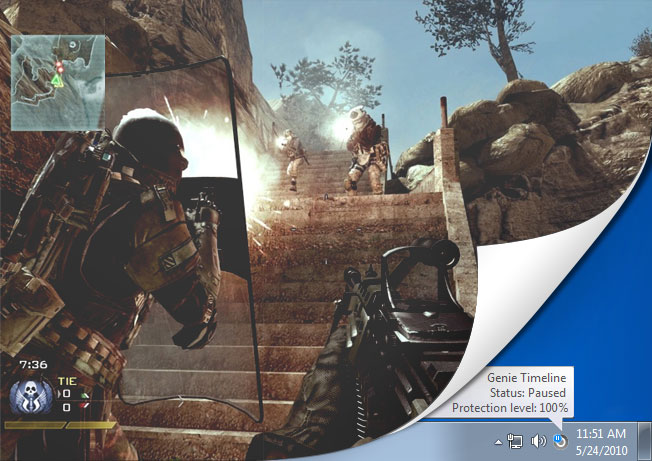
With the user always in mind, Timeline was designed to function in multiple performance modes; if you chose Timeline’s Smart Mode you will never have to worry about it using up your memory. As an added bonus, Timeline includes Game/Movie Mode which automatically pauses Timeline’s backup operations whenever it detects that a game is running in full screen mode. Once you are finished playing, Timeline will automatically get right back to backing up your files.

Games_Blog

But the most important function remains the Disaster Recovery backup; 24 hour backups of your boot drive means that if your computer crashes and you cannot get it to boot again, you can restore your system back to a previously working state along with all of your games, configuration files and save files in no time, making Timeline the ultimate backup tool for every gamer.

How do you use Timeline

Timeline was created with the end user in mind. It is a backup tool that can easily work for anyone from an accountant, to a gamer, to a stay at home parent.

People use computers for many reasons; different schedules and ways in which computers are used result in custom backup schemes and plans. Whether you are a doctor or an architect, you backup all of your drives or create specific rules and backup certain extensions; we would like to hear from you.

In the comment section below please write to us about how you use Timeline to backup.

How can we keep up in this fast-paced world?

In today’s fast paced world, data is becoming integrated into our lives more and more. Conventional backup utilities need constant user attention and scheduling to ensure that your rapidly growing and changing data is protected; with that attention comes the hassle and knockbacks of creating up-to-date and continuous backups.

Genie Timeline introduces a new generation of backup utilities based on Continuous Data Protection, your data is automatically and constantly monitored for additions and changes. Set it and forget it, backups are taken periodically without any hassle or pop ups and will have absolutely no impact on system performance.

Genie Timeline needs zero maintenance, zero scheduling and uses up zero resources, and with the future bringing cloud integration, your data can be stored safely on offsite storage giving you peace of mind.

The Disaster Recovery option in Timeline creates a backup of your boot drive, in case of system failure Timeline will restore your system to a previously working state along with all of your important data.

Creating backups has never been this simple, 2 or 3 simple steps and you are on your way, Timeline is smart enough to sense when you are using your computer or when it is idle and will take advantage of that fact to speed up backups.

Users can stay up-to-date with the status of their backup via email and very soon through their iPhone or iPad, which also provides a neat way of data archiving.

Timeline comes in three different versions; Free, Home and Professional.

You can check out a full comparison of the versions by following this link:
http://www.genie-soft.com/Free_products/Comparison.aspx

Introducing Genie Timeline 2.0

Genie-soft proudly introduces our latest software Genie Timeline 2.0

Genie Timeline 2.0 comes in three different editions; Home, Professional and FREE!

Timeline 2.0 is the first backup software that has a completely Free edition which includes such features as automatically backing up your Email, documents and office files, financial files, eBooks and PDFs, Internet bookmarks and favorites, pictures, music and videos in 2 simple steps.

As for Genie Timeline Home and Professional editions, we brought the term “set it and forget it” to life; we revolutionized the backup process and took the backup software solution to a completely new level. Unlike its predecessor, we added Disaster Recovery, backup markers, multiple performance modes and much more.

Genie Timeline will take its user to the maximum level of data protection, saving both time and money, it is simply just what you need for data backup and restore.