

Apple releases two new ads you should see today!
Two new highly vivacious ads have just been released by Apple for the iPad that flaunts some of the 300,000+ apps tailored for its tablet lineup. The first ad, “Alive”, skims through the adjectives “loud”, “deep” and “alive” to accent and emphasize interactive apps such as GarageBanad, TED and iMovie….

Mind over matter; use mind-computing on your iPad!
InteraXon wants to get into our brains and get in on all the juicy details that go on there; well, maybe not all the details just certain signals they need to transform into actual data that benefit developers in creating new apps that you can control with your mind. A…
Finger swiping passwords instead of passcodes?
Apple enthusiasts probably already have their dates set for October 23rd, 10 am PST, San Jose. As the invitations state: “We’ve got a little more to show you”, indicating the rumored iPad mini release. We thought instead of covering a load of prospected features, we’d cover something a bit more…
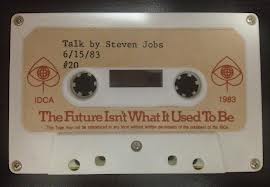
The iPad; did Steve Jobs start working on it in the 80s?
It’s almost been a year since Steve Jobs passed away and yet his legacy will surly live on for centuries to come, and debates over his unprecedented foresight will be the topic of many articles to come. One particular talk he gave back in 1983 at the Center for Design…
Inspector gadget; What to get this season?
The fall season is almost upon us, hence all the tech rumors flying around for the toy season of the year. Christmas is right around the corner, and it won’t take you long to spot some new shiny gadget from Apple, Amazon or Google, encouraging you to spend your hard-earned…